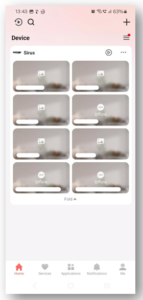
HikConnect App Setup Android
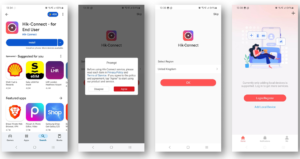
Open the Google Play store and search for HikConnect.
Tap HikConnect for End User and then tap install.
Once installed, open the app and tap agree on the first pop-up
Select United Kingdom as the region, unless you reside elsewhere.
Tap Login/Register
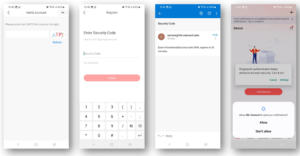
Enter the CAPTCHA code shown and then tap OK in the top right corner.
On the next screen, it will prompt you for a security code, which will have been sent to the email you used earlier then tap finish.
You will then be prompted to allow notifications – tap allow
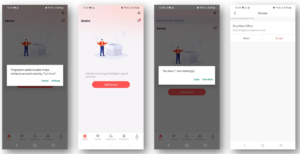
Depending on your device, you may be asked if you want to enable authentication. This is entirely up to you.
At this stage, call or email us and we will grant you access to the cameras with your chosen email address.
You will then get a share pop-up. This sometimes needs you to force quit the app and re-open it. When it shows up, tap View Now.
The shared device will then appear, and you will need to tap accept.
You will then be presented with your cameras. To begin live streaming, tap one camera and enter the encryption key provided by the Sirus engineer or the support team.
You are now all set up with the app.